


Funny Voice Reverse
4.4463.00 Reviews
App Specs
- Version
- 3.6
- Updated On
- License
- Free
- Downloads
- 1,000,000+
- Developer
- BigSoft inc.
- Categories
- Music & Audio
- Platform
- Android, iOS
Screenshots
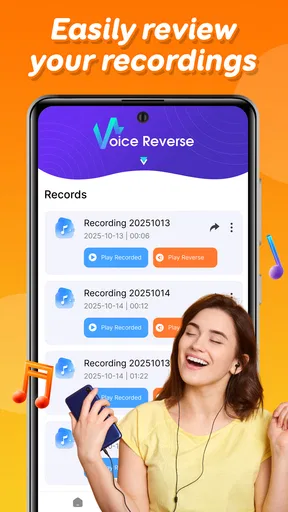
 Analysis by AppCompare
For a creative project, a voice played backward is less a polished effect than a tiny experiment: record a phrase, listen to how its sounds turn around, then decide whether the result is funny, surprising, or simply strange. That is the appeal I see in Funny Voice Reverse. It gives a simple idea room to become a small personal creation, whether you are testing a joke, making a message for a friend, or just curious about what your own voice does when the order is flipped.
I would approach it as a quick sound toy rather than a full audio workstation. The fun is in finding a phrase that transforms well, and the main creative challenge is choosing what to record. A short, clearly spoken line is usually easier to recognize and more satisfying to replay than a long ramble. If you want a result that lands as a joke, try a familiar greeting or a deliberately dramatic sentence, then let someone guess what it was before revealing the original.
That small workflow also makes it useful when you have only a spare minute. Imagine waiting for a friend at a café: you record a brief message, reverse it, and send the odd result as an unexpected opener to a conversation. It is not a replacement for a carefully edited voice note, but it can turn an ordinary phrase into a playful prompt. I would keep the recording short, listen once before sharing, and make sure the person receiving it is in the mood for a puzzle rather than expecting practical information.
A quick creative starting point
As a music and audio app, this sits at the playful end of the category. BigSoft inc. is the developer, and the app is free to try, with in-app purchases listed at $1.99 per item. Its Everyone age rating makes the premise approachable for a broad audience, although I would still use common sense when recording other people: ask before turning someone else’s voice into a joke or sending it around.
The app has an average rating of 4.5 from around 17,000 ratings, and it has passed one million installs. Those figures suggest that the simple reversal idea has found an audience, but they do not tell you whether it suits your particular creative needs. For me, the useful question is whether you want a fast, amusing transformation or a dependable tool for producing finished audio. This is much closer to the first.
The app is on version 2.3 and requires Android 6.0 or later. That makes compatibility worth checking before you plan a group activity around it, especially if friends are using older devices. The practical point is simple: test it on the phone you will use, rather than assuming every device in a room will behave the same way.
Making, testing, and sharing a reversed recording
I’d use this section to focus on the small choices that shape a reversed clip: the phrase, the delivery, and whether the result is meant to be guessed or simply enjoyed. I’ll also look at how a quick test can help decide whether a recording is ready to share or needs a different approach.
Worth Reading Before You Choose

Flipboard Shows What News Apps Must Do Beyond the Feed

Switching to Android Auto Means Rethinking Your Driving Routine

Google Calendar Makes a Crowded Week Easier to Manage

Ludo King Makes the Most of the Minutes Between Plans

Baby Panda World Brings Quick Play to Modern Phones, but Its Game Library Feels Busy

ESPN’s Live Game View Makes Following Close Games Easier
First Impressions and Interface
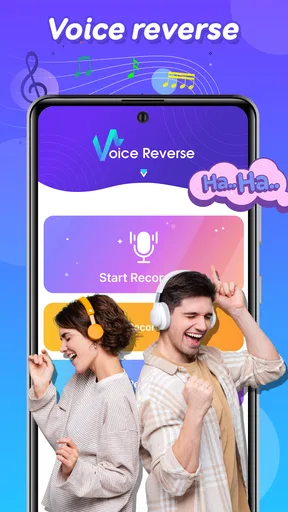
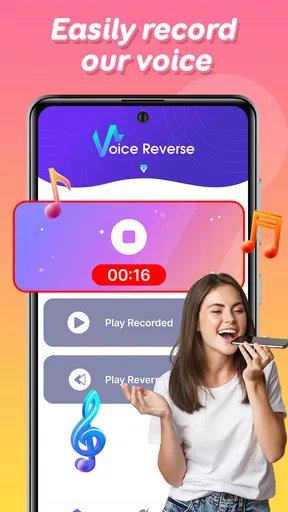
From the moment I downloaded Funny Voice Reverse, I was greeted with a friendly and intuitive interface. The app is super straightforward, which is perfect because nobody wants to waste time figuring out complicated settings when all you want to do is have fun. The main screen offers a big red button to start recording your voice, and with just a tap, you’re off!
That direct start is a good fit for spontaneous ideas: there is little ceremony between thinking of a line and hearing the altered result. I would use that immediacy to test several short phrases rather than trying to plan a perfect recording in advance. A phrase with distinct syllables can make the backward playback more intriguing; a sentence delivered too quickly may become an indistinct blur. Speak clearly, leave a little space before and after the words, and listen before deciding the take is finished.
There is a useful trade-off here. A simple recording flow lowers the barrier to experimenting, but it is not the same as a multitrack editor with detailed control over trimming, mixing, or arranging sound. If your goal is a quick gag or a sound to share informally, that simplicity helps. If you need a clean, finished piece for a podcast, a song, a client, or a video with precise timing, I would choose a dedicated audio editor and use this app only for the reversed-voice idea itself.
Features That Make It Stand Out
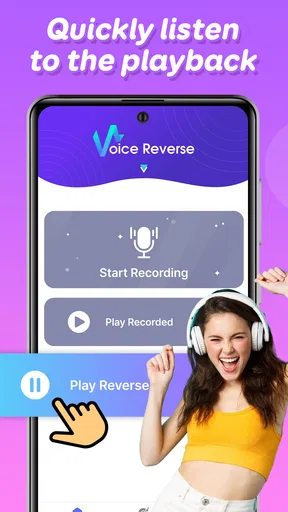
Now, let’s talk features. You record your voice and play it back in reverse, but the app doesn’t stop there. You can save your reversed creations and share them with friends, adding a social element that’s just plain fun. Ever wanted to know what your name sounds like backwards? Or how about a funny message for your friends? The possibilities are endless, and that’s what makes it so entertaining.
For a better handoff, I would treat the saved recording as a little audio artifact with a clear purpose. Give the recipient a hint only if you want the reveal to be easy; otherwise, ask them to guess the original phrase. If you are sending it to a group, keep the context in the accompanying message so people know it is a playful clip and not an urgent voice note. That small bit of framing can make the difference between a fun exchange and a confusing one.
One thing I found super cool is that the app allows you to adjust the playback speed. Want to sound like a slow-motion villain or a chipmunk on caffeine? You can do both! This adds layers of creativity and hilarity to your voice reversals.
Speed is also a creative choice, not just a way to make a clip more extreme. I would compare a normal-speed take with a changed-speed one before sharing, because a faster playback can make the result energetic but harder to decipher, while a slower one can emphasize odd syllables and pauses. The best setting depends on the phrase. If you want a friend to recognize the original, keep the effect restrained; if the goal is pure absurdity, make the contrast part of the joke.
Iteration without overworking the joke
Short takes make experimentation easier. Rather than recording a long monologue and hoping it works, try a few different deliveries of the same line: one calm, one exaggerated, one whispered, or one with a deliberate pause. The contrast gives you a better sense of how the reversal changes rhythm and emphasis. It is a useful way to discover what sounds distinctive without needing a complicated editing process.
I would also keep the original phrase in mind when judging the result. Reverse playback can be amusing even when it is not intelligible, but if the creative aim is a guessing game, recognizable rhythm matters more than perfect clarity. A name or familiar expression may be more satisfying than a complicated sentence. This is one reason the app works better as a prompt for experimentation than as a tool for producing a particular, guaranteed sound.
There is a limit to iteration, though. Replaying the same odd clip repeatedly can make the joke wear thin, and an effect that feels novel on the first listen may not hold attention for a long project. I would make a few versions, choose the one with the clearest or funniest result, and move on. For a more elaborate sketch, video, or audio piece, a separate editor gives you more room to combine the clip with music, dialogue, and other sounds.
Practical Uses and Silly Fun
While this app is mainly for entertainment, it surprisingly has some practical uses too. Language enthusiasts can use it to practice pronunciation by listening to words in reverse. Who knew reversing your voice could be educational?
I would keep that practice idea light rather than treating reversed playback as a pronunciation lesson. The sound is transformed, so it does not teach ordinary forward speech in the same way as listening to a language recording or repeating a native speaker. It can, however, encourage you to pay attention to syllables, timing, and how a spoken phrase is built. For structured language study, a language-learning app or a normal voice recorder is the better companion; this one is best as an unusual listening exercise.
But let’s be honest, the real reason you’ll download this app is for the laughs. Whether you’re hosting a party or just looking to amuse yourself on a lazy Sunday, this app has got you covered. It’s an instant icebreaker and a surefire way to get everyone giggling.
In a group, I would make the activity easy to join: one person records a short phrase, plays it back, and lets everyone guess what was said. It works best when the lines are harmless and the participants are comfortable being recorded. If a guest would rather not contribute, let them guess instead. That keeps the game relaxed and avoids turning someone’s voice into the joke without their consent.
This is also where the app’s limits become clear. It is not the right choice for private, sensitive, or important messages, because a reversed clip is deliberately difficult to understand. Nor would I rely on it for audio that needs dependable editing, precise cleanup, or a polished delivery. A conventional voice recorder is more suitable for a clear note, while a full editor is better when the recording has to fit into a larger production.
Choosing the right tool for the handoff
Compared with a standard voice recorder, Funny Voice Reverse gives you a more unusual result with less need to invent an effect yourself, but a recorder is the sensible option when clarity is the priority. Compared with a full audio-editing app, this feels more immediately playful and less like a production workspace. That difference is not a flaw; it simply means I would reach for it at the idea stage, then switch tools if the clip becomes part of a more demanding project.
Before sharing a recording, listen to the whole clip and check that it communicates the kind of joke you intended. If the listener needs to know the original words, include that reveal separately rather than expecting the reversed audio to carry an important message. For anything that will be published publicly, consider whether the recording includes another person’s voice and whether they are comfortable with its use. A funny effect does not remove the need to think about how the clip will land outside your own phone.
People often want to know whether this is useful without an internet connection, whether it can produce professional-quality audio, or whether it is suitable for a child. I would not plan around capabilities that are not established here; the dependable expectations are the recording-and-reversal idea, saved creations, sharing, and playback-speed adjustment. For professional delivery, choose a more complete editor. For children, the Everyone rating is reassuring as a content classification, but supervision and permission still matter when recording or sharing voices.
Final Thoughts
All in all, Funny Voice Reverse is a light-hearted app that delivers exactly what it promises. It’s easy to use, endlessly entertaining, and a great way to bring a smile to your face. If you’re looking for something to bring a little joy into your day, this app is definitely worth a try. Grab it from the app store, and let the backwards fun begin!
My recommendation is to try it when you want a low-effort creative diversion, a quick party prompt, or a strange little audio message to send to someone who will appreciate the joke. Keep recordings brief, use playback speed with a purpose, and switch to a recorder or editor when clarity and control matter more than surprise. With those expectations, this is an easy app to enjoy; if you need a complete audio-production tool, it is better treated as one playful ingredient than as the whole workshop.
Pros
- Intuitive user interface for easy navigation.
- High-quality audio playback and recording.
- Fun voice effects enhance creativity.
- Quick sharing to social media platforms.
- Lightweight
- doesn't consume much storage.
Cons
- Limited voice effect options available.
- Ads can be intrusive during use.
- No option to save recordings in different formats.
- Lacks advanced editing features.
- Requires internet connection for full functionality.
FAQs for Funny Voice Reverse
What is Funny Voice Reverse and how does it work?
Funny Voice Reverse is an entertaining app that allows users to record their voices and play them back in reverse. The app utilizes simple recording functions and a playback feature that reverses the audio, offering hilarious results and endless fun. It's perfect for parties or just to amuse yourself and friends.
Can I share my reversed voice recordings with others?
Yes, Funny Voice Reverse includes a feature that allows you to easily share your reversed voice recordings with friends and family. You can share via social media, messaging apps, or email, making it simple to spread the laughter and fun that comes with your creative recordings.
Is Funny Voice Reverse suitable for children?
Funny Voice Reverse is suitable for users of all ages, including children. The app is designed to be user-friendly and safe, with no inappropriate content. Parents can feel comfortable knowing that their kids are enjoying a harmless and entertaining experience while using the app.
Does Funny Voice Reverse require an internet connection to function?
No, Funny Voice Reverse does not require an internet connection for its core functionality. You can record and reverse your voice offline without any issues. However, an internet connection is necessary if you plan to share your recordings via social media or other online platforms.
Are there any in-app purchases or ads in Funny Voice Reverse?
Funny Voice Reverse is free to download and use, but it may contain ads to support development. Some features or additional content may require in-app purchases. If you prefer an ad-free experience, you might have the option to purchase a premium version or subscription within the app.


